
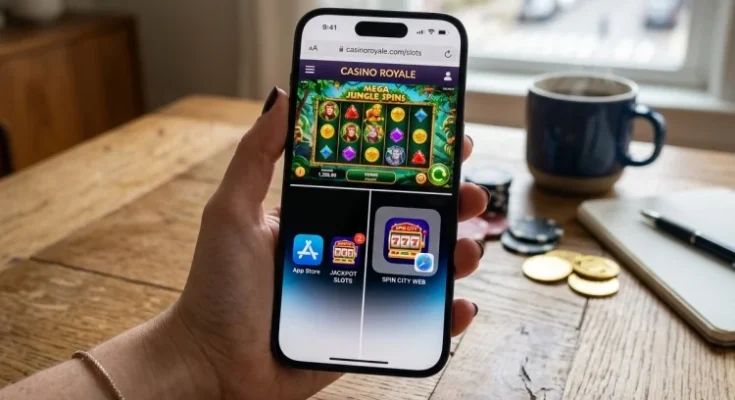
iPhone Slots Guide: Safari vs Apps for Mobile Play
The iPhone has changed mobile gaming by making browser experiences much closer to installed apps.
For slot players, that means downloading casino software is no longer the only practical option. Safari can run compatible games directly, while web apps can even place a website icon on the Home Screen.
This iPhone Slots Guide compares those choices from a technical and practical perspective.
Instead of asking which format is universally better, it looks at compatibility, installation, storage, security, updates, permissions, and regional availability so you can understand what each option actually offers.
Safari Is Usually the Lowest-Commitment Option
Safari play requires very little setup.
Open the casino website, sign in, choose a slot, and launch the game.
There is no separate casino application to install, which makes browser gaming convenient for someone who only uses a platform occasionally.
Safari can also retain bookmarks, website data, and login information depending on your privacy settings.
Modern responsive websites adapt their layout to different iPhone screen sizes, allowing reels and controls to remain usable in portrait or landscape configurations where supported.
You should still expect an internet connection to be required.
The fact that a slot loads inside Safari does not mean it runs completely on your phone. Game servers normally remain part of the process, particularly for real-money gaming.
App Store Apps Offer a More Dedicated Environment
A native iOS application can create a cleaner experience.
Instead of navigating through browser tabs, the operator can organize games, account settings, promotions, deposits, withdrawals, and support inside one application.
Apps can also integrate with iPhone features such as Face ID or system notifications when implemented.
However, Apple’s App Store rules make real-money gambling applications a special category.
Apple requires casino and other real-money gaming apps to have the necessary licensing and permissions for every location where they operate, to be geographically restricted to those locations, and to be distributed free of charge.
This means app availablity can change according to region.
If you cannot find a particular casino application in your App Store, that does not necessarily mean your iPhone is incompatible.
The service may simply not distribute an app in your jurisdiction.
Web Apps Blur the Line Between Safari and Native Apps
Safari offers another format that many users overlook.
A compatible website can be added to the Home Screen and configured to open as a web app.
Apple’s current iPhone guidance says users can open a site in Safari, choose Add to Home Screen, switch on Open as Web App, and create an icon that launches the website with an app-like experience.
Web apps can also receive notifications where supported.
For a casino platform, this can provide the convenience of an icon without requiring a conventional App Store download.
It is important to understand what this does not mean.
A Home Screen web app still depends on the underlying website and browser technologies.
It does not automatically gain every capability available to a native application.
Check iOS Before Blaming the Game
Compatibility problems can appear for many reasons.
A game may have been built for newer browser standards. The operator’s app may require a newer iOS release. The phone may also be running low on storage or memory.
Keeping iOS updated is one of the simplest maintenance steps.
Apple states that software updates deliver features, security updates, and bug fixes, and provides automatic download and installation controls through Settings > General > Software Update.
When a slot suddenly refuses to load, try a basic checklist before assuming the game is incompatible.
Reload Safari, close unnecessary tabs, confirm your network connection, restart the iPhone, and check for software updates.
If only one game fails while everything else works, the problem may be with that specific title or provider rather than your phone.
Older iPhones Can Still Work, but Performance Varies
Slot games differ significantly in graphical demands.
A simple three-reel classic may require relatively little processing, while a six-reel video slot with cascades, animated 3D characters, sound effects, and several moving overlays can place greater demand on the browser.
Older iPhones may therefore handle different games differently.
Storage matters as well.
Apple recommends checking Settings > General > iPhone Storage when space is limited. Users can review how much space individual apps consume and remove or offload unused apps.
Apple also notes that maintaining available storage can help avoid performance problems.
A nearly full device might perform poorly even when a game is technically compatible.
That is why compatibilty should be viewed as more than a yes-or-no label.
Safari Can Be More Storage-Friendly
An installed casino app takes dedicated storage.
Depending on its design, additional cached graphics and resources may increase that footprint over time.
Safari browser play generally avoids maintaining a full operator application, although websites can still use cache, cookies, downloads, and local data.
If you have a high-capacity iPhone, the difference may be irrelevant.
For a device with limited free space, browser access can be more attractive.
This is also useful if you occasionally visit several different platforms.
Installing five casino apps simply to access one or two games from each service may make little sense when responsive browser versions exist.
Remember that Safari itself and website data still consume resources, so browser play is lighter rather than completely storage-free.
Safari Security Starts With the Correct Website
One of the biggest risks with browser play is arriving at the wrong website.
Phishing sites can imitate real operators, sometimes changing only a character or two in the domain.
Safari includes a Fraudulent Website Warning for suspected phishing pages.
Apple also lets users inspect connection security details and warns against entering private or financial information on websites that do not use secure encrypted connections.
HTTPS is important, but it is not enough by itself.
Apple specifically notes that encryption does not guarantee that a website is trustworthy, because fraudulent sites can also use encryption.
Check the exact domain before signing in.
Once you have verified the official site, saving it as a bookmark or Home Screen web app can reduce the need to search for it repeatedly.
Apps Avoid Fake Websites but Still Need Verification
App Store distribution can reduce some browser-related risks, but users should still verify the developer.
Look at the app name, developer identity, region availability, and whether the operator’s official website links to that App Store listing.
Real-money gambling applications are subject to Apple’s licensing and geo-restriction requirements, but that does not mean every gaming-looking app is a real-money casino.
Some apps may be social casino games using virtual currency, information services, or unrelated products with similar names.
Do not assume that two applications belong to the same company simply because their icons look similar.
The safest route is to navigate from the verified operator website to its official App Store entry when possible.
Location Access Can Affect Real-Money Compatibility
Real-money gambling is heavily dependent on jurisdiction.
An operator permitted to offer casino games in one location may have to block them elsewhere.
That is why location permission can become part of the mobile experience.
Apple allows users to control location access for individual apps through Location Services, including options such as allowing access while using the app or refusing permission.
Safari has similar website controls.
Users can configure location, camera, and microphone access globally or create exceptions for particular websites.
A legitimate casino may need location information to verify geographic eligibility.
However, permissions should still make sense.
If a simple slot website unexpectedly asks for microphone or camera access without explaining why, review the request rather than approving it immediatly.
Safari Privacy Features Can Affect Some Services
Safari includes several privacy protections.
Apple’s current settings include Prevent Cross-Site Tracking, Hide IP Address options, Fraudulent Website Warning, and website-specific permission controls.
These tools generally improve privacy, but certain services that rely on geographic or network checks may occasionally require specific information.
For example, Apple notes that a website relying on IP filtering may require an IP address to be visible, and Safari provides a temporary Show IP Address control for such cases.
That does not mean you should routinely disable privacy protections.
If a verified platform has trouble determining your location, follow its official troubleshooting instructions rather than changing multiple Safari security settings at random.
App Updates and Safari Updates Work Differently
Native apps need application updates.
Apple says App Store apps update automatically by default, although users can turn this setting off and update applications manually.
Safari-based platforms are different.
Much of the casino interface can be updated by the operator on its servers, meaning you receive changes when the website reloads.
Safari itself is part of the iOS environment, so keeping iOS updated remains important.
This difference makes browser platforms easier to maintain in some situations.
There is no need to download a seperate casino application update every time the operator changes a menu or game catalogue.
Still, both formats depend on current software for security and compatibility.
Safari or App: Which One Fits Better?
Safari makes sense when you want fast access, minimal installation, and lower dedicated storage use.
It is also practical when an operator offers legal browser service in your location but does not provide an iPhone app.
A native application can be attractive if you frequently use the same operator and prefer one dedicated interface.
A web app offers an interesting compromise.
It gives you a Home Screen icon while keeping the underlying platform web based.
Whichever route you choose, evaluate the service itself first.
Licence status, regional eligibility, security, and trustworthy account handling matter far more than whether the reels appear inside Safari or an App Store application.
This iPhone Slots Guide shows that Safari, native casino apps, and Home Screen web apps each have practical advantages. Safari is flexible and storage-friendly, while apps provide dedicated access and deeper iOS integration.
Check device compatibility, software updates, permissions, location requirements, and security before choosing. Use only verified services and select the format that runs reliably on your iPhone.