
Classic Fruit Slots: How Retro Games Evolved Online

Classic Fruit Slots: How Retro Games Evolved Online

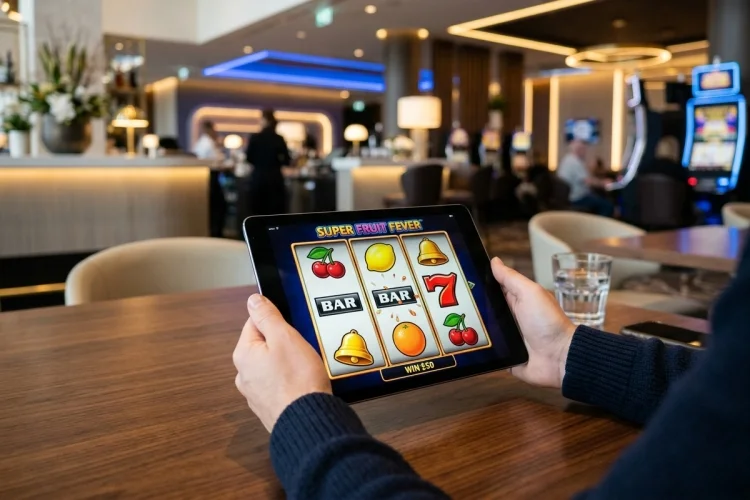
Fruit machines began with physical reels and limited symbol combinations. Modern online versions can use expanding grids, thousands of winning ways, detailed animation, and several bonus systems while still displaying the same familiar cherries and lemons.

The evolution of Classic Fruit Slots shows how digital technology can update an old format without removing its identity.

Some developers preserve the original fixed-line structure, while others use the fruit theme as a foundation for Megaways mechanics, jackpots, feature purchases, and expanding reel areas.

Looking at that development helps explain why the category continues to attract both retro-game fans and players interested in modern features.

From Bells and Gum to Fruit Machines

Charles Fey’s early mechanical designs helped establish the three-reel slot format and the recognizable bell symbol. Later machines used fruit images connected with gum flavors, helping popularize the term “fruit machine,” particularly in the United Kingdom.

The early machines had physical limitations. Reel size restricted the number of possible symbol combinations, and features were controlled by mechanical parts rather than software.

Digital games removed many of those restrictions.

Early Video Versions Preserved the Basic Formula

The first generations of video fruit games generally kept the familiar reel structure. They replaced mechanical parts with screens but continued to use fixed paylines, sevens, bells, and colorful fruit.

Sizzling Hot deluxe is a clear example of this traditional approach. It has five reels and five fixed lines, with NOVOMATIC presenting it as a classic video game.

This style remains available because some players value a focused experience without lengthy bonus instructions.

Wilds and Multipliers Added More Variety

Digital formats made it easier to add symbols that could change how a combination was calculated. Wild icons could substitute for ordinary fruit, while multipliers could increase qualifying awards.

NetEnt’s Fruit Shop combines classic imagery with wild substitutions and a multiplier. Its official information lists a 5×3 layout, 15 paylines, 96.71% RTP, and an 800x maximum payout.

Play’n GO’s Fire Joker adds a respin when stacked symbols appear on two reels without forming a win. A separate wheel can apply a multiplier of up to ten times after a full-screen combination.

Variable Reels Changed the Number of Winning Ways

Megaways games use changing reel heights, so the number of symbols and potential combinations can vary from one spin to the next.

Fruit Shop Megaways updates NetEnt’s earlier game with six reels and between two and seven symbols on each reel. It can offer up to 117,649 winning ways, a progressive free-spin multiplier, and a maximum payout of 5,200x.

The design still looks like a cheerful fruit game, but the mathematical structure is far more complex than the original version.

Expanding Grids and Bonus Modes Add Depth

Modern releases can change the size of the playing area during a bonus. Instead of using one fixed screen, a game may unlock extra rows or feature modes.

Fruit Shop Grand Re-Opening, released in July 2026, begins with a 5×3 structure and can expand through several bonus-spin modes. Its official page lists a 96.37% RTP, a maximum of 5,000x, and playing areas extending as far as 5×6.

This is an example of a classic theme supporting a much deeper modern feature set.

Jackpots Can Be Added to Familiar Games

Providers can also attach jackpot systems to established fruit-game brands. The base reels remain recognizable, while special symbols or bonus rounds provide access to additional prizes.

NOVOMATIC’s Cash Connection version of Sizzling Hot adds jackpot elements to what the company calls classic fruit-game entertainment. Sizzling Hot Treasure Inferno combines the familiar base game with three bonus modes using a Lock & Spin feature.

This approach gives long-running titles a new format without abandoning their original visual identity.

Mobile Technology Supports the Retro Style

Modern fruit games can run in mobile browsers and apps, automatically fitting their controls to smaller screens. Simple symbols often remain clear even when the reel area is reduced.

The lightweight visual concept can also work well on older devices, although actual performance depends on animation, software optimization, memory, and connection quality.

A demo is the easiest way to test whether the layout remains readable on a particular phone.

How to Compare Old and New Fruit Games

Begin with the reel structure and winning system. Then check RTP, volatility, maximum win, paylines or payways, and the rules for any bonus feature.

A classic five-line game may be easier to understand, while a Megaways or jackpot version may provide more variation. Neither style is universally better.

Avoid choosing only by the size of the advertised maximum. A larger theoretical payout does not explain its probability or predict the outcome of a short session.

Classic Fruit Slots have evolved from mechanical three-reel machines into flexible digital games.

Traditional versions preserve fixed paylines and straightforward combinations, while newer releases introduce wild reels, multipliers, changing reel heights, expanding grids, and jackpots.

The fruit symbols remain popular because they provide a recognizable connection between these very different formats. Before selecting a game, decide whether you prefer focused retro play or a modern interpretation with deeper mechanics.

Open the paytable, compare the published specifications, and test both styles in demo mode. The strongest choice is the version whose rules, screen design, and pace are easiest for you to enjoy.
Modern Slot Game Mechanics: Designing for Fingers, Not Cursors

Modern Slot Game Mechanics: Designing for Fingers, Not Cursors

Desktop slot design begins with a very precise input tool: the mouse cursor. Mobile games begin with something much less precise but far more direct—the player’s finger. That seemingly small difference can change how an entire game is structured.

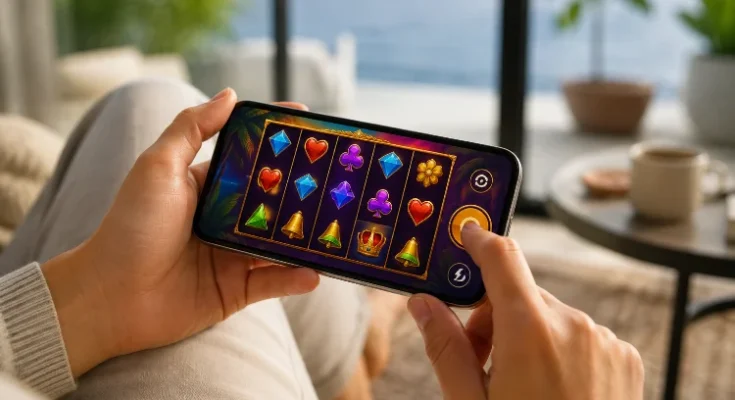
Touch-first design has helped reshape Modern Slot Game Mechanics because developers need to consider not only what a feature does, but also how comfortably someone can activate, understand, and repeat it on a small display.

Apple’s game-design guidance encourages games on iPhone and iPad to embrace direct touchscreen interaction and virtual controls designed specifically for touch. Meanwhile, technologies such as Pointer Events let browser games recognise touch, mouse, and stylus input through a common model.

The result is a shift from “make the desktop game smaller” toward mechanics designed around mobile behaviour from the start.

Touch Removes the Hover State

Desktop interfaces use hover constantly.

Place the cursor over an icon and a tooltip appears. Hover over a symbol and additional information can be displayed before the user makes a selection.

Touchscreens do not normally provide that persistent state.

The player’s finger touches the interface when they are already interacting with it.

That forces designers to rethink information delivery.

A mysterious bonus icon cannot rely on hover text alone. It may need a tap-to-open explanation, a clearly labelled information button, or contextual instructions built directly into the feature.

This affects mechanic complexity.

The more information required before a feature can be understood, the more difficult it becomes to fit naturally into a touch-first game.

Modern mobile mechanics therefore benefit from strong visual language and fewer hidden dependencies.

Large Touch Targets Reshape the Control Panel

Finger-friendly controls need space.

Apple recommends a minimum 44-by-44-point hit target for touch controls, while WCAG 2.2 specifies a 24-by-24 CSS-pixel minimum target size for many web pointer interactions, subject to defined exceptions.

A desktop control strip containing ten tiny buttons cannot simply be scaled down.

Something has to move.

This often leads to a layered interface.

Spin and other frequent actions remain visible, while less common settings move into expandable menus. Bet controls may occupy their own panel, and detailed information can open over the game rather than beside it.

The change seems cosmetic, but it influences mechanic discovery.

Players encounter core features immediately while advanced controls are deliberately separated.

A touch interface therefore creates its own information hierarchy.

One-Tap Mechanics Usually Beat Precise Gestures

Touchscreens make gestures possible, but more complicated does not always mean better.

Dragging an object across the grid can be entertaining when that movement is meaningful. Requiring a precise drag simply to select a feature can create unnecessary friction.

W3C’s WCAG 2.2 guidance says that functionality based on dragging should provide an alternative that works with a single pointer without dragging, unless the movement is essential.

This principle translates well into game design.

Suppose a player can drag a token onto one of three bonus doors.

The game could also allow the player to simply tap the preferred door.

Both actions reach the same mechanic, but the second works for more users and requires less precision.

Touch-first slot design tends to work best when gestures are optional enhancements rather than mandatory dexterity tests.

Multi-Touch Offers Possibilities but Adds Complexity

Modern touchscreens can recognise multiple fingers simultaneously.

MDN’s Pointer Events documentation describes support for multiple active pointers and shows how two-pointer gestures such as pinch interactions can be detected.

That opens interesting design possibilities.

A bonus could theoretically respond to two-point gestures, rotation, or multi-finger interactions.

But slot mechanics rarely need that level of input complexity.

The reason is practical: core controls need to remain easy to understand, consistent across devices, and resistant to accidental input.

A two-finger gesture may also conflict with browser zoom behaviour or accessibility needs if not handled carefully.

For most features, a straightforward tap has a lower accidently-activation risk and is easier to communicate.

Multi-touch is therefore a capability, not automatically a design goal.

Orientation Can Change the Mechanical Layout

Mobile devices rotate.

That creates a design problem desktop games rarely need to solve: the same feature may need to work in both portrait and landscape arrangements.

A portrait interface has more vertical space but less horizontal room.

Landscape gives the reels more width but can reduce the space available above and below them.

This can alter how mechanic components are arranged.

A persistent multiplier meter might sit above the reels in portrait mode but move alongside them in landscape. Feature-choice cards that appear horizontally on a tablet may stack vertically on a phone.

The mechanic remains functionally identical, yet its interface architecture changes.

This is another reason mobile slot design cannot stop at responsive scaling.

The game needs to preserve hierarchy and touch access as the available geometry changes.

Touch Latency Changes How Fast a Game Feels

Mobile UX is strongly influenced by the gap between touching something and seeing a response.

If a button reacts instantly, the game feels connected to the player’s action.

If nothing appears to happen for a noticeable moment, users may assume the tap was missed and try again.

For browser-based interaction, Pointer Events provide separate stages including pointerdown, movement, and release, allowing developers to react as the interaction begins rather than waiting for a broader sequence to finish.

Animation timing matters as well.

MDN explains that requestAnimationFrame() synchronises animation callbacks with browser repaints and generally follows the display refresh rate, including common 60Hz and higher-refresh screens.

This means smooth responsivness is partly an engineering problem.

A visually simple Spin button can still feel poor if its animation, sound, and reel response are badly timed.

Touch-First Design Encourages Contextual Controls

Desktop games can leave many controls permanently on-screen.

Mobile games benefit from showing controls when they become relevant.

During normal play, the interface may show the essentials.

When Free Spins begin, ordinary bet controls can temporarily disappear while the multiplier, remaining-spin count, and feature-specific information become more prominent.

When a feature selection appears, the screen can temporarily become a decision interface.

This contextual approach gives mechanics more room.

Instead of forcing bonus controls into the same small space as everyday buttons, the game rearranges itself around the active state.

That can make complicated features easier to understand because the screen shows fewer irrelevant elements.

The player’s attention follows the mechanic.

Touch Design Can Influence Feature Pacing

Interface design can even change the perceived rhythm of gameplay.

A desktop slot may allow several settings to be adjusted rapidly with small controls. Mobile interfaces often use deliberate panels and confirmation states to reduce mistaken input.

This can create clearer pauses between gameplay states.

For example, a bonus may stop before presenting three large selectable options. Once the player taps one, the screen transitions back into automated reel activity.

That pause creates dramatic pacing while also serving an interface purpose.

The mechanic feels more significant because the touch interaction gives it a dedicated moment.

Good mobile design therefore uses input to structure the experience instead of treating the player’s finger merely as a replacement cursor.

Accessible Input Can Make Mechanics More Robust

Accessibility standards are especially relevant to touch interfaces because fingers are inherently less precise than mouse pointers.

W3C notes that touch contact areas are larger and less precise, and that larger targets can help both users with motor impairments and general touchscreen users.

Designers can apply that thinking to Modern Slot Game Mechanics.

Avoid placing several tiny feature buttons directly beside one another. Provide a tap alternative to dragging. Do not require a difficult gesture when a simple control can perform the same function.

Clear spacing also lowers the chance that someone selects a higher bet, closes a feature, or activates an unintended option.

Accessibility is therefore not a separate layer added after the interface is finished.

It can improve the usabilty of the core mechanic itself.

Mobile Interaction Should Not Be Confused With Outcome Control

Touchscreens make games feel direct.

A player taps a symbol, picks a mystery object, or swipes a wheel and immediately sees the result.

That directness can create the impression that the physical gesture has special influence over the outcome.

From a design perspective, it is important to distinguish interaction from outcome generation.

The touch tells the software which permitted action the player selected. The game logic then resolves that action according to its defined rules.

Changing a tap into a swipe does not inherently change probability.

Likewise, pressing the Spin button harder, faster, or at a particular location does not create a different mathematical advantage simply because the interface supports rich touch data.

Touch changes how the player communicates with the game.

It does not automatically rewrite the game model.

Touch-first thinking has transformed Modern Slot Game Mechanics by encouraging larger controls, contextual interfaces, gesture alternatives, faster feedback, and layouts that adapt to orientation. The strongest mobile mechanics are not desktop ideas squeezed onto a smaller screen; they are designed around fingers from the beginning.

When assessing mobile game UX, focus on how naturally each feature can be understood and activated with a simple touch.